Fewer ads in Safari, and proof it is on.
Clearpage blocks ads, popups and trackers in Safari on iPhone. Guided setup checks every switch, and the status screen shows blocking is on right now.
Blocking is free with no limits, no account and no VPN
Pro $4.99 a month or $14.99 once
What you get
Fewer ads in Safari, and proof it is on
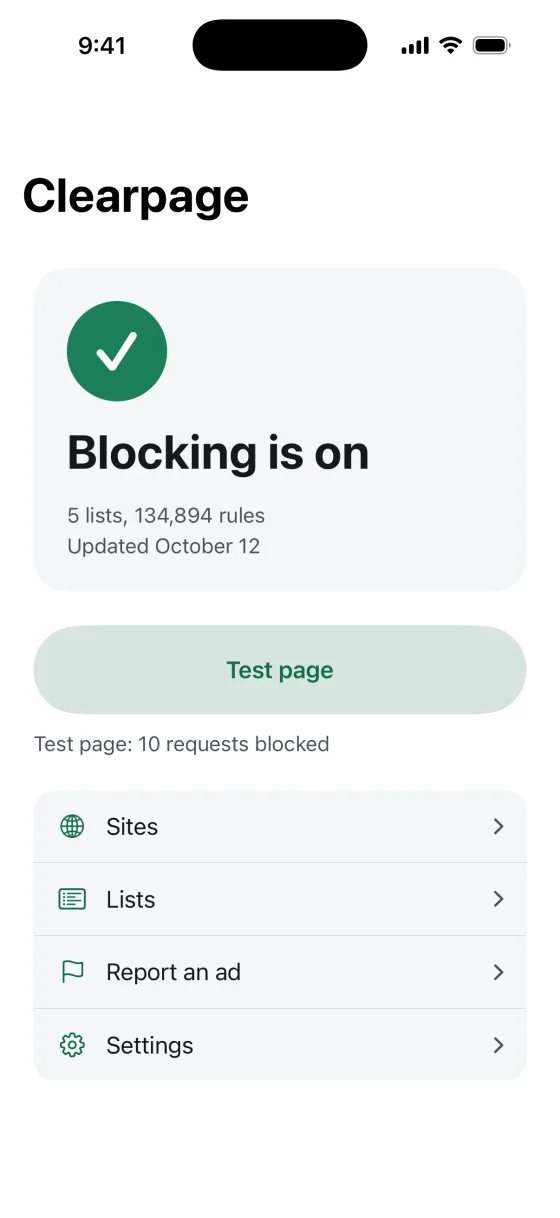
The status screen says whether blocking is on right now, which filter lists are loaded and when they were last updated. A test page shows blocking in action.
Set up right the first time
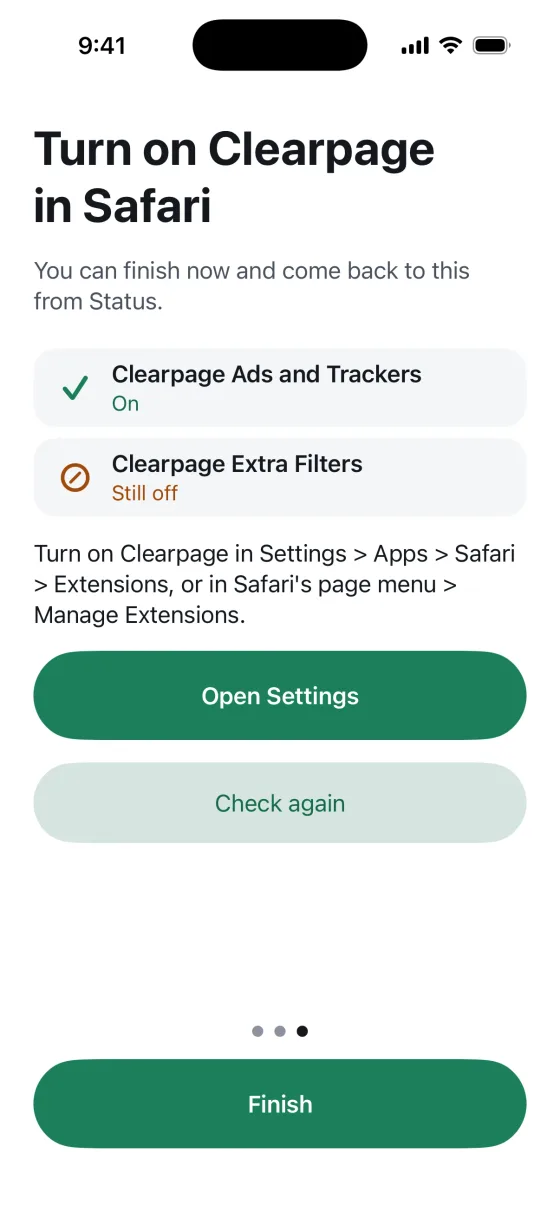
Guided setup checks each Safari switch and names what is still off, with a button that opens the right place in Settings.
Pages load faster
Safari drops ads and trackers before they load, so pages download less. No VPN and no DNS change.
Checkout works again
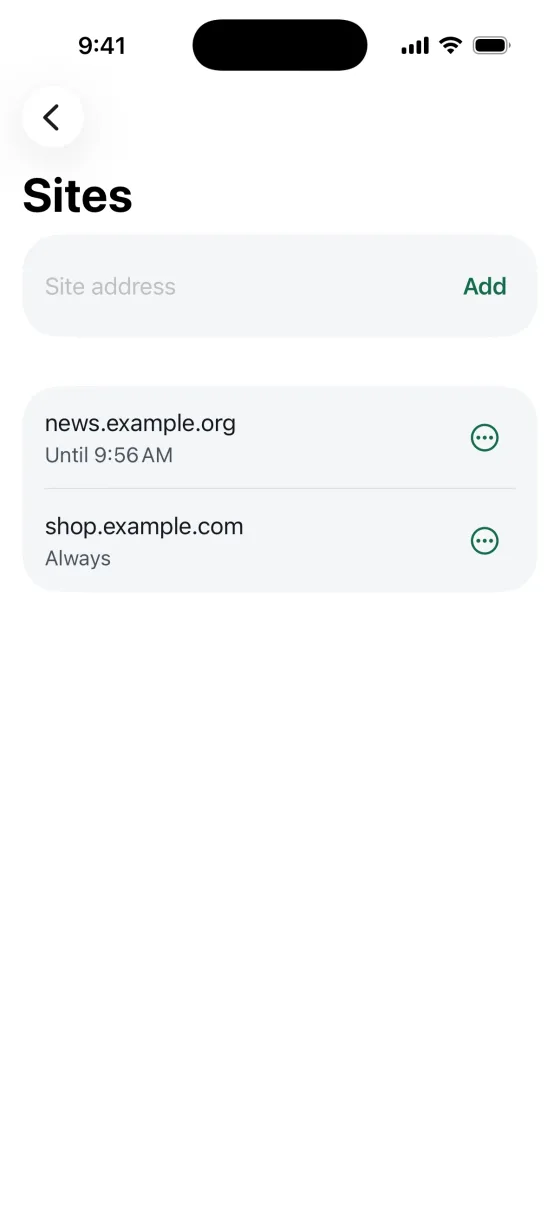
When a checkout or a login breaks, allow the site or pause blocking on it, then turn blocking back on.
Popups and trackers gone
Rules come from EasyList and other open filter lists, updated with every release. Pro adds annoyances, cookie notices and social widgets.
Still see an ad? One tap reports it
The report is an email you send yourself, with the page address and the list versions. Nothing is uploaded by the app.
Blocking, the setup checker, the status screen, the test page, allowed sites and pause are free, with no limits and no account. Pro adds site controls in Safari's extension menu, extra filter sets and themes. Details on data are in the privacy policy.
How it works
Turn it on in Safari
Go to Settings > Apps > Safari > Extensions and turn on Clearpage, or in Safari tap the page menu, then Manage Extensions. The setup checker shows which switch is still off.
See the status card turn green
The status card in the app turns green and says Blocking is on, with the lists that are loaded and when they were updated.
Open the test page
Tap Test page. It asks Safari to load ten known ad and tracking addresses and shows how many Safari blocked.
Price
Free
$0
Blocking, the setup checker, the status screen, the test page, allowed sites and pause, with no limits.
Pro Monthly
$4.99a month
Site controls in Safari's extension menu, extra filter sets and themes. Renews automatically unless cancelled.
Pro Lifetime
$14.99once
Site controls in Safari's extension menu, extra filter sets and themes, paid once. Never renews.
Requires iPhone with iOS 26.2 or later. English.
Questions and answers
What is Ad & Popup Blocker: Clearpage?
Ad & Popup Blocker: Clearpage is an ad blocker for Safari on iPhone. It blocks ads, popups and trackers with Apple's content blocker, walks you through every Safari switch, and shows a status screen that says whether blocking is on right now. It is made by Winton Gee.
How much does it cost?
Blocking is free, with no limits. Pro is $4.99 a month or $14.99 once. Prices vary by country. There is no free trial; the free version is the way to try it.
What is free, and what does Pro add?
Blocking, the setup checker, the status screen, the test page, allowed sites and pause are free, with no limits. Pro adds three things: allow a site or pause blocking from Safari's extension menu, without opening the app; extra filter sets for annoyances, cookie notices and social widgets; and themes.
How do I turn it on?
Go to the Settings app, tap Apps, then Safari, then Extensions. Tap each Clearpage extension and turn on Allow Extension. Or, in Safari, tap the page menu on the left of the search field, tap Manage Extensions and turn Clearpage on. The setup checker in the app shows which switch is still off. Step by step help is in the guide.
Why does a site still show ads, and how do I report it?
Some ads come from the site's own servers or change faster than the filter lists. First check that blocking is on in the app and that the site is not allowed or paused. If an ad still shows, tap Report an ad in the app. It writes an email with the page address and the list versions, and you choose whether to send it.
How do I allow a site or pause blocking?
In the app, open Sites to allow a site or pause blocking on it, then remove it to turn blocking back on. With Pro, you can do the same from Safari's extension menu on the page itself. Reload the page to see the change.
Does it see my browsing?
No. The content blocker runs inside Safari. The app gives Safari a list of rules, and Safari applies them to each page. The app never sees page content or your browsing history. There is no account, no analytics and no server of ours.
Does it work in Chrome or other apps?
No. It works in Safari only. It does not block ads in Chrome, Firefox or other browsers, or ads inside other apps.
Where do the filter lists come from?
From the EasyList family: EasyList, EasyPrivacy, Fanboy's Annoyance List, Fanboy's Social Blocking List and the Easylist Cookie List, used under CC BY-SA 3.0 and CC BY 3.0. Every list, its licence and its version are on the filter lists page.
More questions? Visit support or email wintongee@gmail.com.
Guides
Plain, sourced help with turning on a Safari ad blocker on iPhone and checking that it works.
See the ads go
Ad & Popup Blocker: Clearpage is not on the App Store yet. This page will link to it as soon as it is.
Coming soon to the App Store